Published on: 2020-10-10
Join Active Directory
Estimated time to read: 2 minutes
Pre-reqs
- Ensure network configuration is such that the domain can be looked up (ie. DNS configuration)
Steps
Some other sites specify the Python v2 package of policycoreutils. This doesn’t work on CentOS 7.x or later, so v3 was used
- Install required software.
- Join the domain with an account of appropriate rights
- Run realm command to verify join
realm list # Sample output: [root@svr31 ~]# realm list contoso.com type: kerberos realm-name: CONTOSO.COM domain-name: contoso.com configured: kerberos-member server-software: active-directory client-software: sssd required-package: oddjob required-package: oddjob-mkhomedir required-package: sssd required-package: adcli required-package: samba-common-tools login-formats: %U@contoso.com login-policy: allow-realm-logins - Verify administrator account
id administrator@contoso.com # Sample output: [root@svr31 ~]# id administrator@contoso.com uid=740800500(administrator@contoso.com) gid=740800513(domain users@contoso.com) groups=740800513(domain users@contoso.com), 740800520(group policy creator owners@contoso.com), 740800512(domain admins@contoso.com), 740800518(schema admins@contoso.com), 740800572(denied rodc password replication group@contoso.com), 740800519(enterprise admins@contoso.com) -
Verify Computer object in AD (A computer object should appear in the Computers container as shown below)
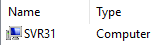
-
Edit sudo account to include sudo AD group